 Shmerling Apps
 Android TV · Google TV · Fire TV · Android
Shmerling Radio
Radio stations from all over the world, on the big screen and in your pocket. Pick a country, a genre or a language, press OK, and listen. No account needed.
Coming soon to Google Play.
Free to use · No ad networks · No tracking
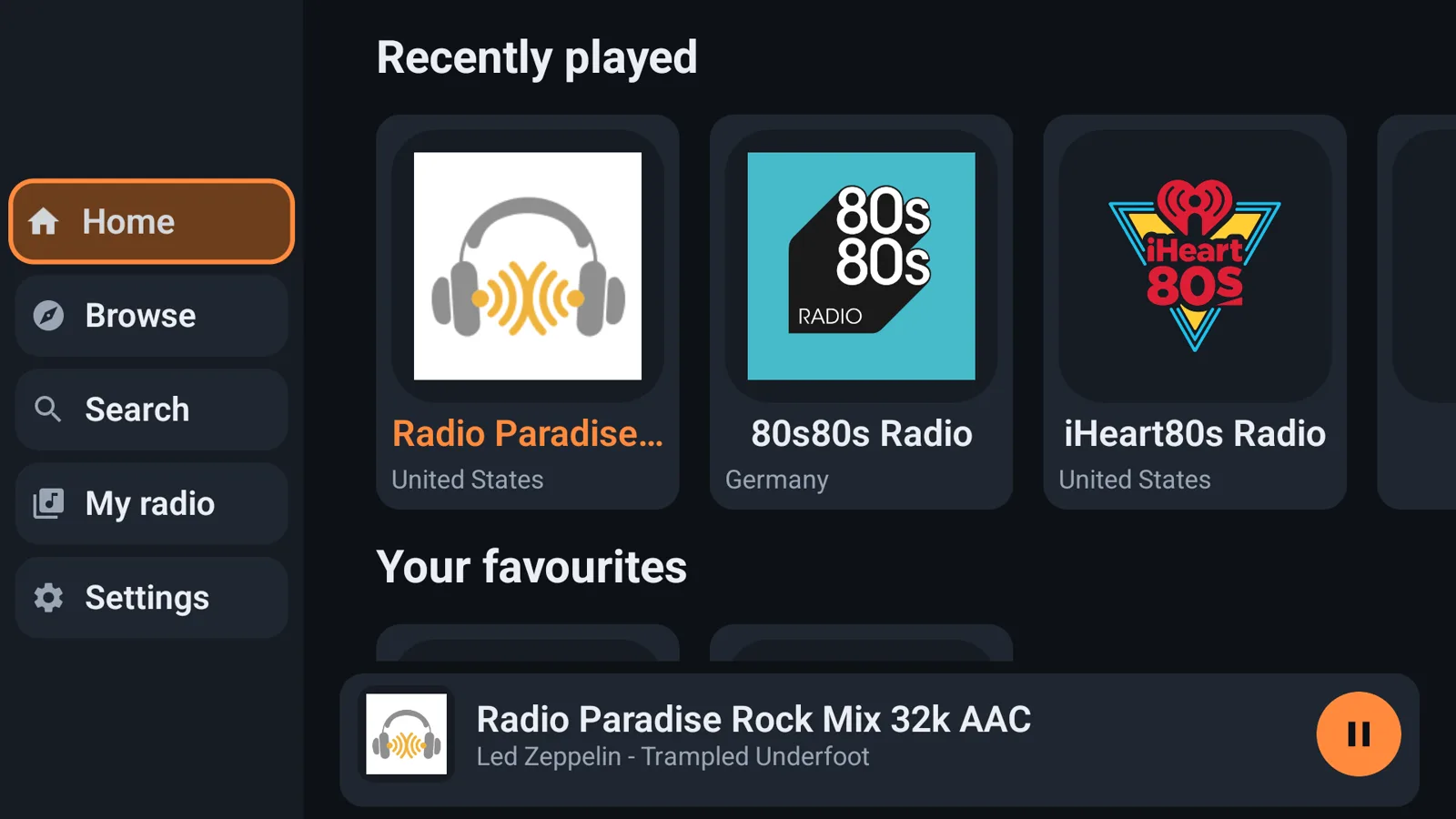
Made for the remote, and for the phone
Stations from everywhere
The stations come from the open radio-browser.info directory, kept by its community: tens of thousands of them, in every country.
Browse your way
By country, by genre or by language, or see what is near you and what is popular now.
Search
Type a few letters and every station with that name appears, with its country, genre and quality.
Favourites and history
Hold OK on a station to keep it. Recently played is always one press away.
Made for the remote
Big buttons, short lists. Now playing in the menu takes you to the station from anywhere, and the screen says what Back does.
The song that is playing
The title the station announces is shown on the screen and in the notification on a phone.
See it on the TV
Real screens from Shmerling Radio on an Android TV.
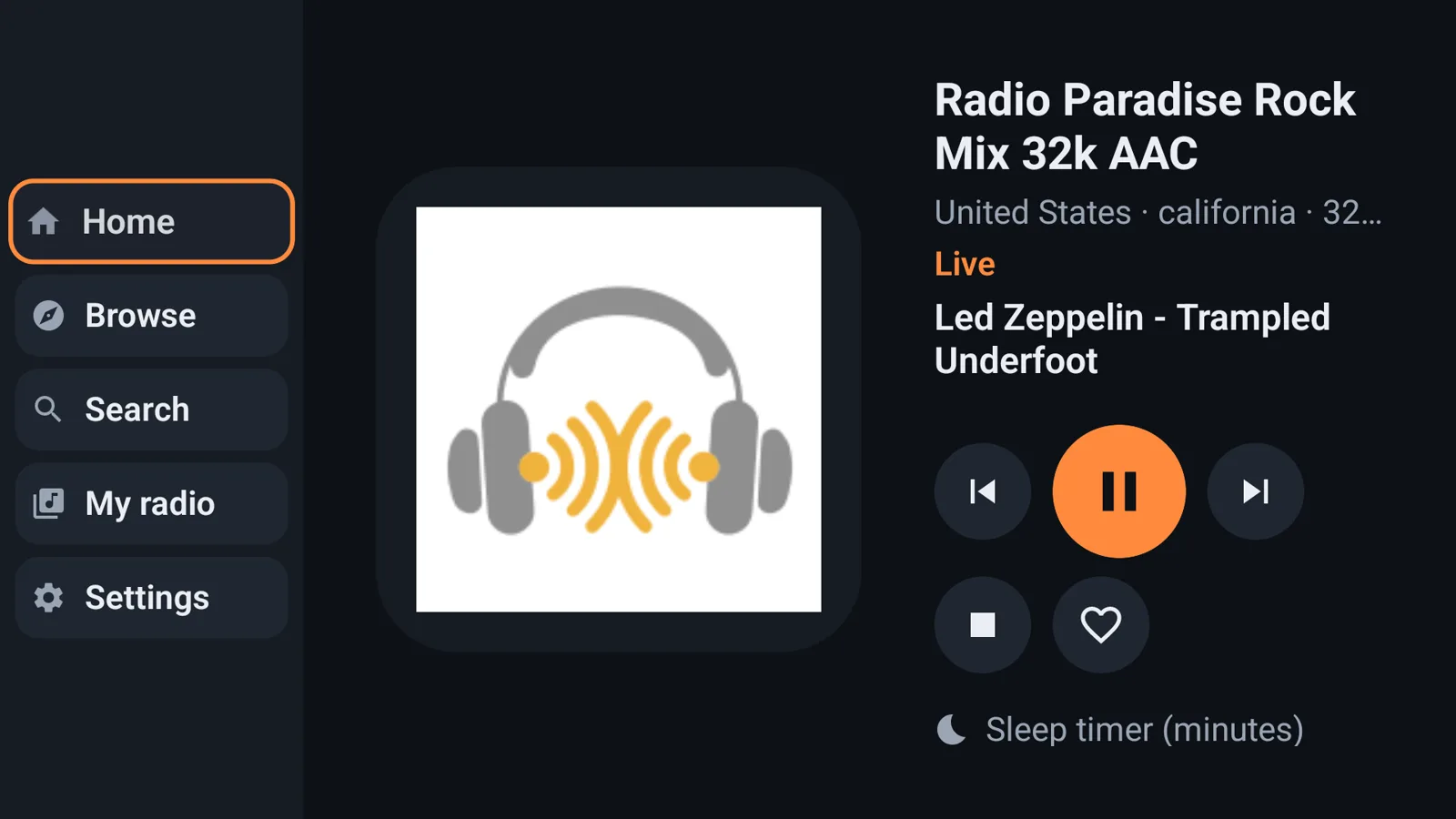
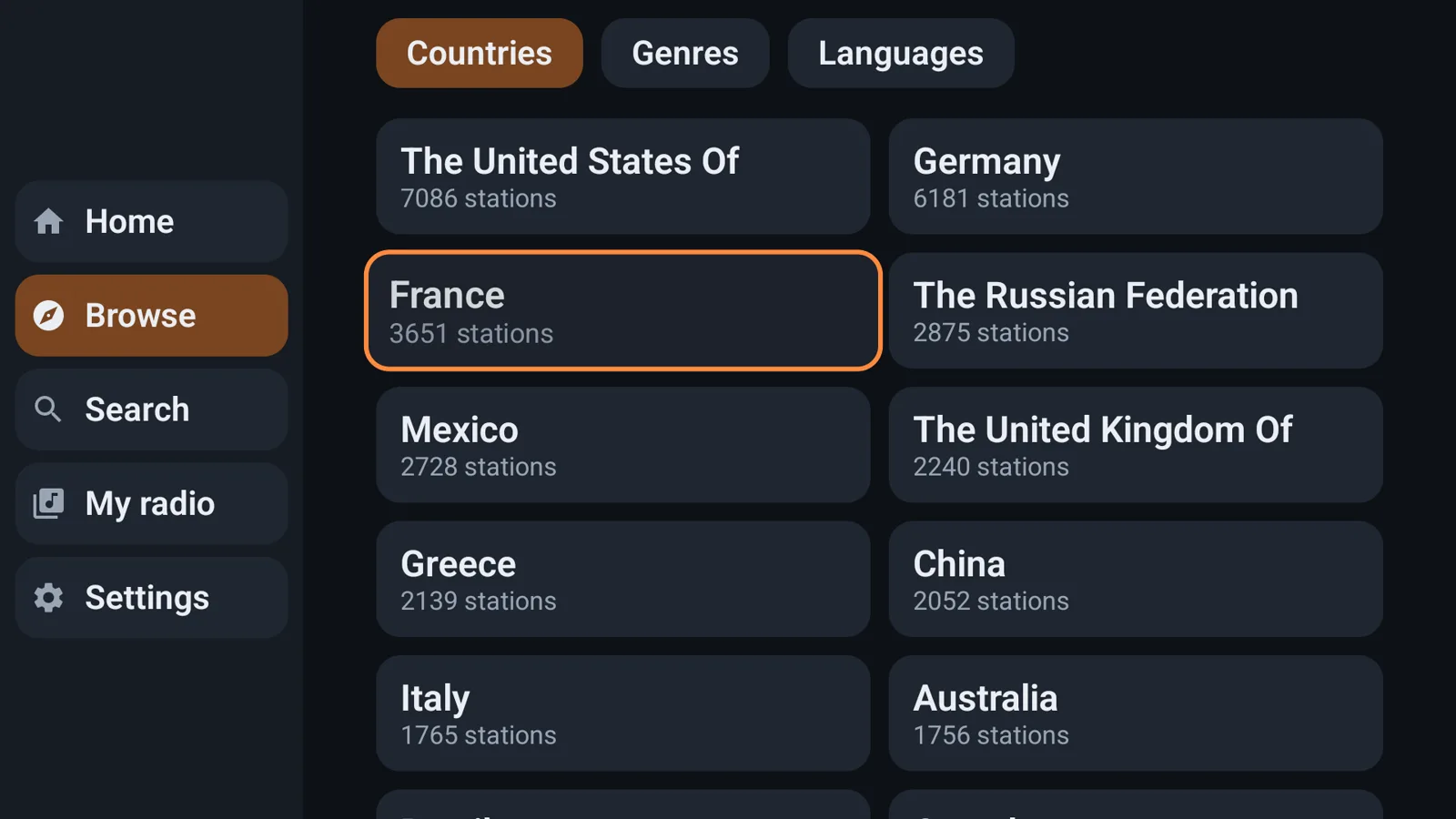
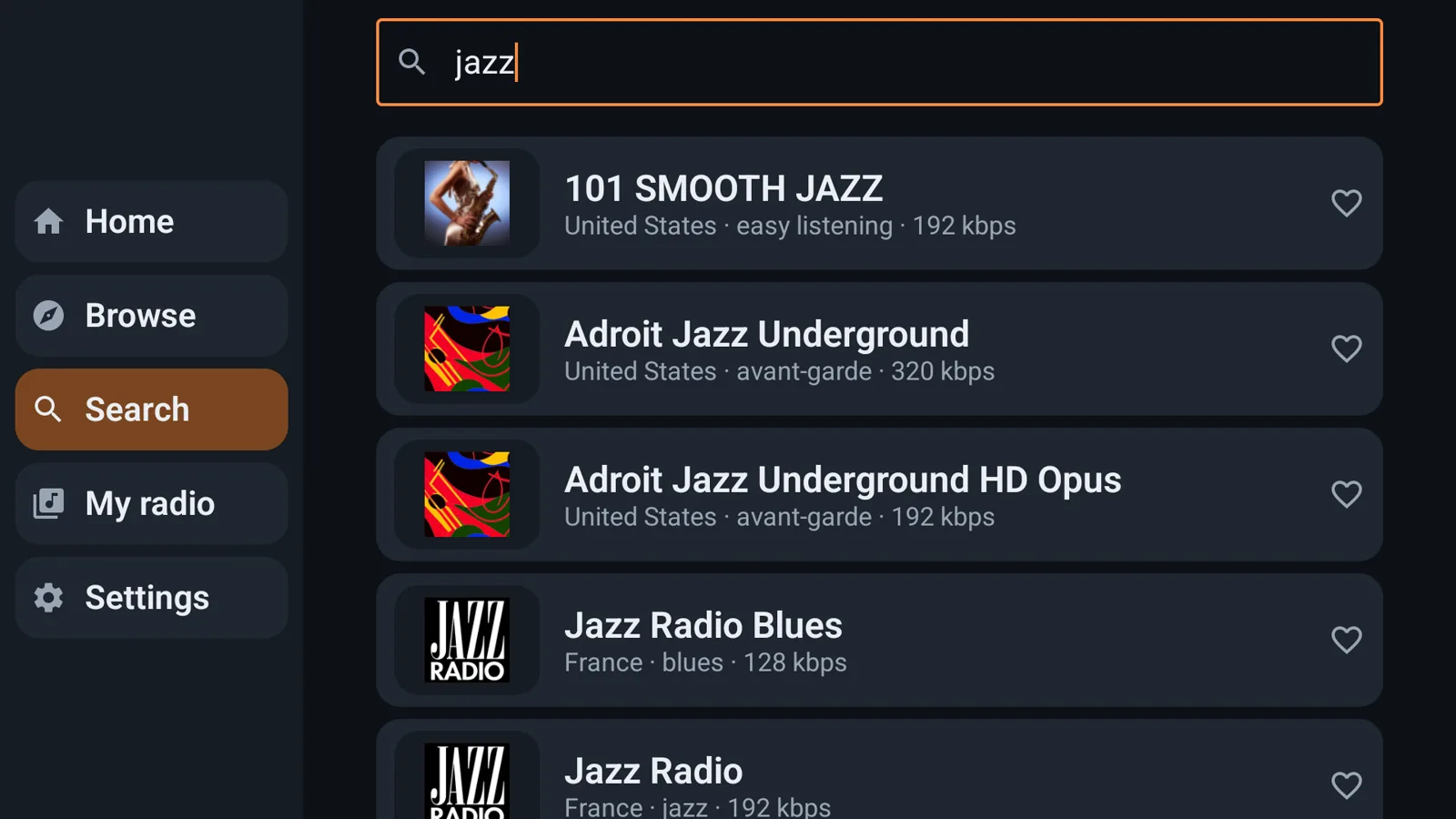
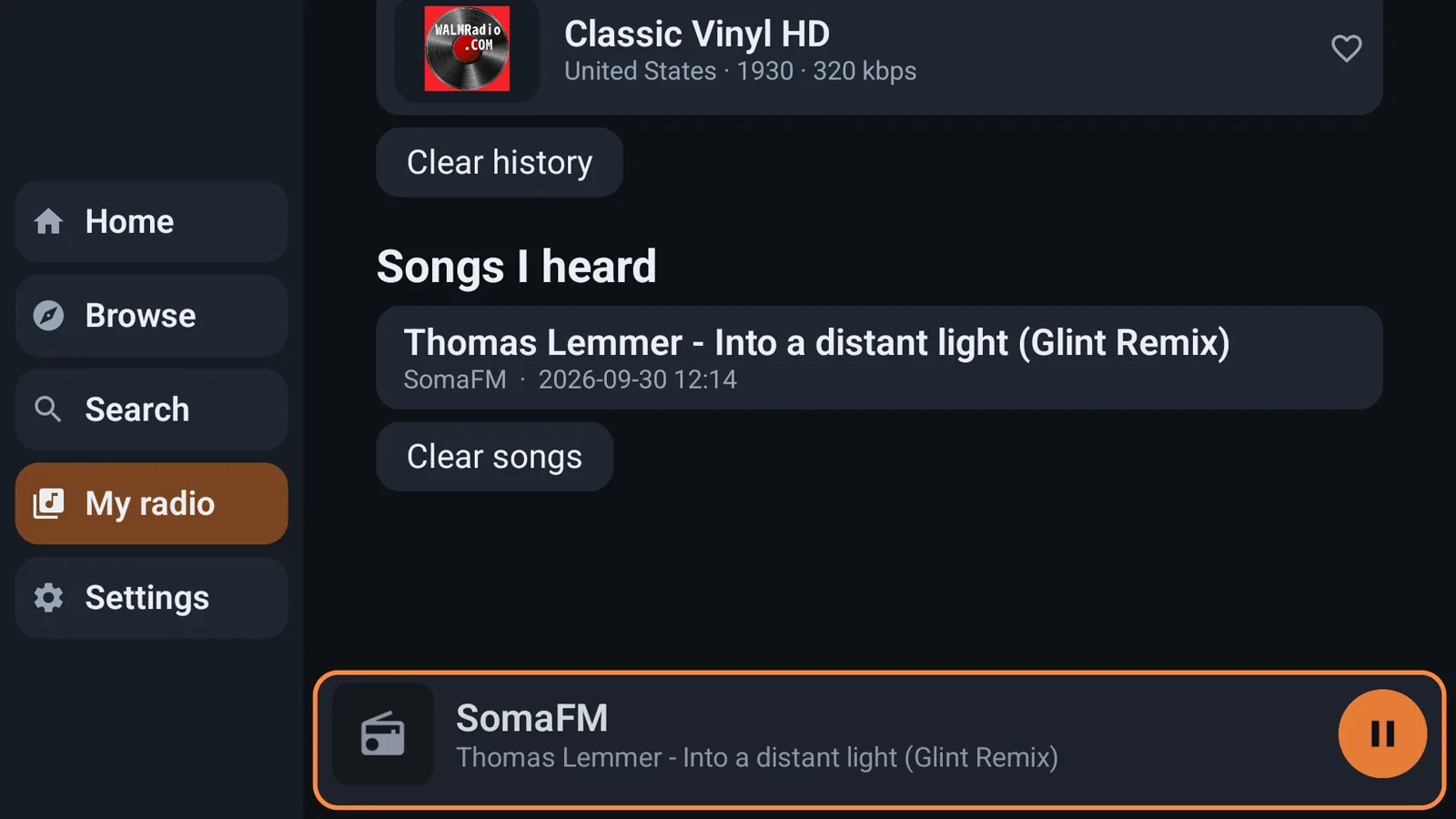
The free app lists every station and plays about two in three of them; the HD stations and the Pro collection carry a lock. It keeps 10 favourites and shows the last 10 stations you played. It shows a card for one of our other apps from time to time, and never an ad network.
Pro is a monthly or yearly subscription with a 7-day free trial. The price is shown in your store. It gives you:
It is billed by Google Play or the Amazon Appstore and renews until you cancel. Cancel any time in the store.
Made for the remote and for tired eyes
Shmerling Radio works with TalkBack: its buttons and icons describe themselves. Without a screen reader, it can read itself aloud (Settings > Accessibility): everything the remote lands on, or only the names of the stations. Text follows the size set on your TV or phone, and on the TV the focused item always has a bold outline. To search on the TV, scan the code next to the search box and type on your phone; on a phone, long station names scroll so you can read them whole.
The same lists on every device
With Pro you can have your favourites, history and songs on every device signed in to the same Google account. Sign in with Google by scanning a code with your phone; the lists are kept in one file in your own Google Drive. It is optional.
A station the directory does not have
With Pro, add a station by the address of its stream. It is kept with your favourites.
Fall asleep to the radio
With Pro, the sleep timer stops the music after 15, 30, 60 or 90 minutes.
- Devices
- Android TV, Google TV, Fire TV, and Android phones and tablets
- Price
- Free. Pro is a monthly or yearly subscription with a 7-day free trial
- Stations
- The open radio-browser.info directory
- Ads and tracking
- No ad networks, no analytics, no tracking. Privacy policy
Radio station names and logos belong to their owners. radio-browser.info is a community project. Google Drive, Google TV and Google Play are trademarks of Google LLC. Amazon, Fire TV and the Amazon Appstore are trademarks of Amazon.com, Inc. Shmerling Radio is not affiliated with, endorsed by or sponsored by any of them.
More from Shmerling Apps

Downabit
Your family's photos and videos, from your private Telegram channel to the TV, a USB drive, your NAS or the cloud.
Reads itself aloud, or only file names; works with TalkBack; type on your phone instead of the TV.

Downabit Player
The videos and music in your Telegram chats, channels and groups, streamed to the TV as they play.
Reads itself aloud, or only the names of films and songs; works with TalkBack; type on your phone.
Five Dice
The classic dice game, you against the computer, played with the remote. Accessible for blind and low-vision players.
Reads itself aloud, or only the dice; high contrast; numbers on the dice.
Paint Maze
Roll the ball with the remote and paint every square of the maze. 1,200 levels, and it can be played by ear.
Played by ear: it says what was painted and which ways the ball can roll; high contrast.
Solitaire
Classic Klondike patience, Draw 1 or Draw 3, played with the remote. Accessible for blind and low-vision players.
Reads itself aloud, or only the cards; high contrast; four-colour deck; big cards.
Backgammon
The classic board game against the computer at three levels, played with the remote. It can be followed by ear.
Followed by ear; numbers on every point; bigger checkers; high contrast.